An AI marketplace where brands find creators, run campaigns and pay, and creators sell their services. Designed in an agency team.
Social Tap - AI SaaS marketplace
The project
One product, two sides of a campaign
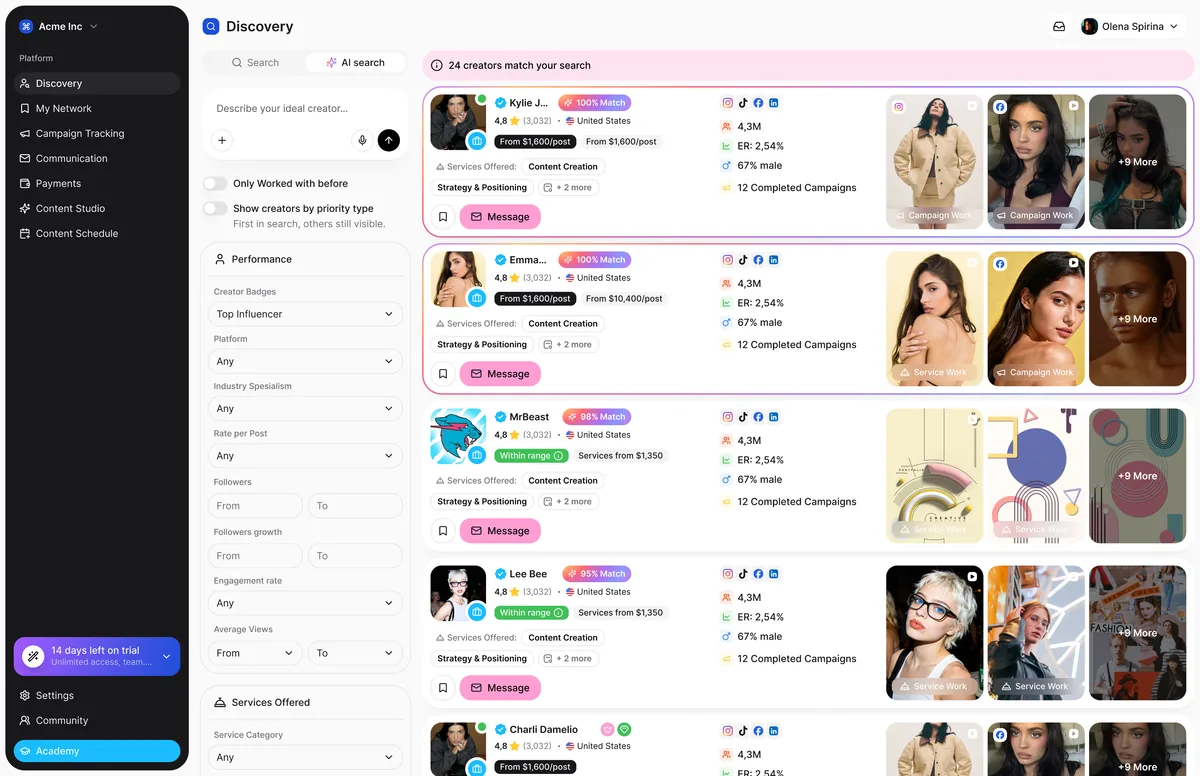
Social Tap is an AI platform for influencer marketing. Brands find creators, launch campaigns and pay. Creators sell services, make content with AI tools and get paid. I designed it at an agency, with a senior designer who led the project and reviewed my work.
What was my part
I led UX and UI for Academy & Help and Community - the client reuses both in four other products - and for onboarding, AI search, campaign cards, adding a new service and the drawers with different info (creator’s profile, service proposal etc.) across the whole platform. For the other flows, I designed the UI on top of my partner’s UX and, in some cases, improved the functionality along the way.
How I worked
Same patterns for both sides
Brands and creators look at the same campaign from opposite sides. Wherever a flow existed for both roles, I looked for the shared part first and designed it once, then adjusted the details per role. Three rules came out of it.
Who’s here: brands and creators
Describe it, don’t filter it
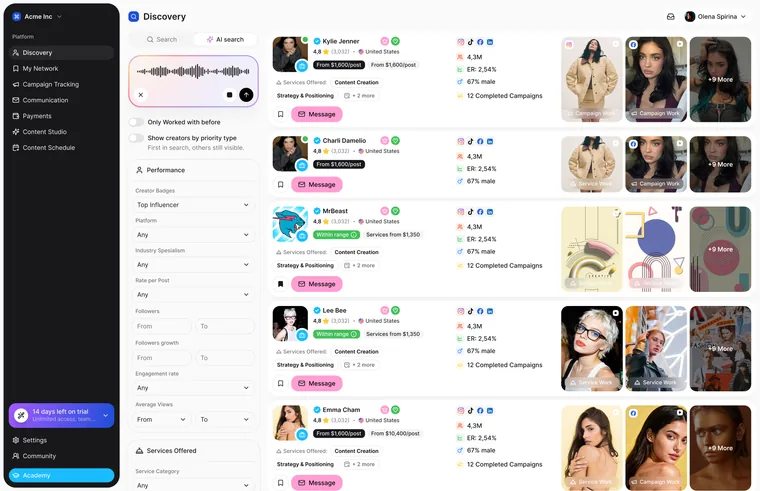
Brands rarely know which of twenty filters matter. In AI search, a brand describes the creator they need in plain words or by voice, and the results come back with a short reason for each match. Creators find campaigns the same way. When nothing fits, the empty state offers to edit the prompt or clear filters instead of a dead end.
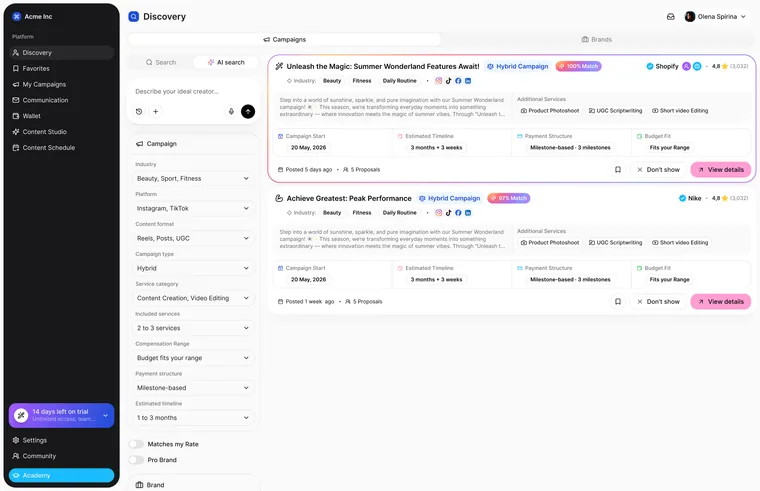
Each match explains why it fits
Same search pattern for both roles
Each match explains why it fits
Same search pattern for both roles
Who’s here: brands and creators
One card, every status
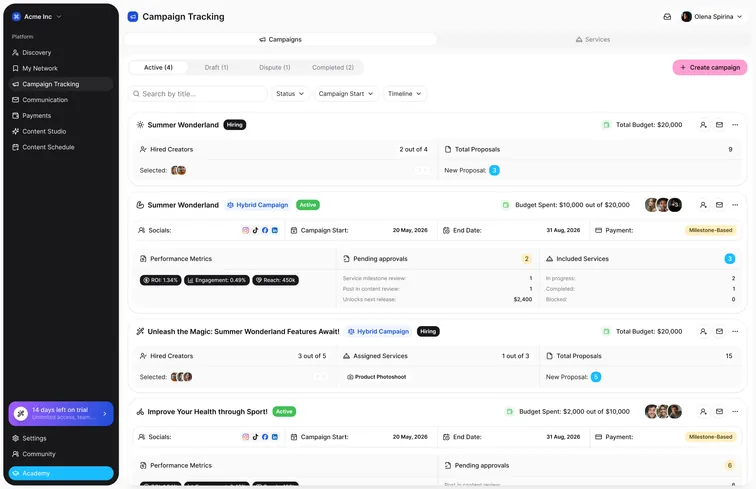
A campaign lives for weeks: draft, hiring, active, in dispute, completed. I defined which statuses a card can have, grouped them into tabs, and decided what the card shows at each stage. While hiring, it shows budget and proposals; once live, performance and pending approvals. The same rules apply to the cards creators see.
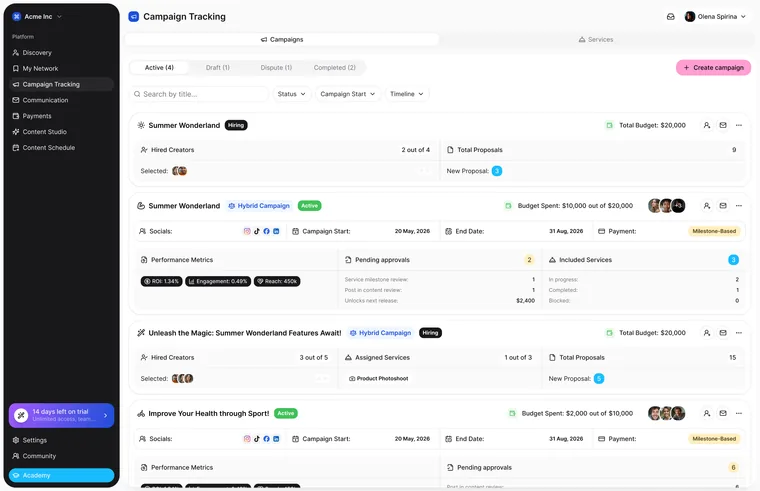
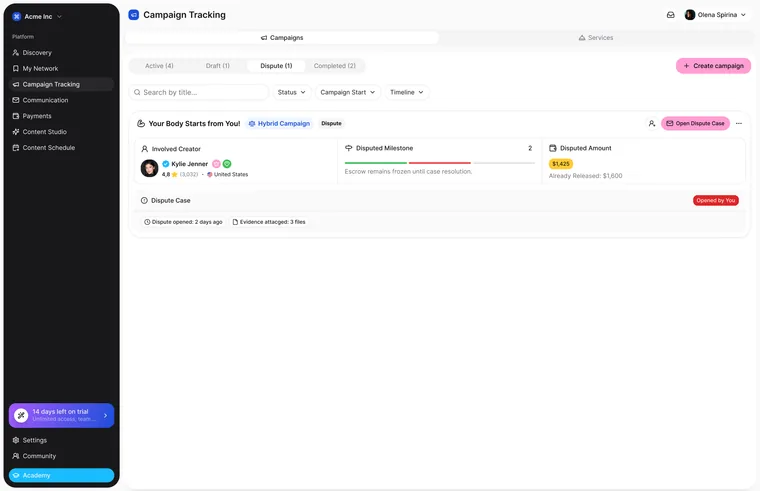
Tabs by stage: active, draft, dispute, completed
Card content changes with the status
Tabs by stage: active, draft, dispute, completed
Card content changes with the status
Who’s here: brand → creator
One drawer, used everywhere
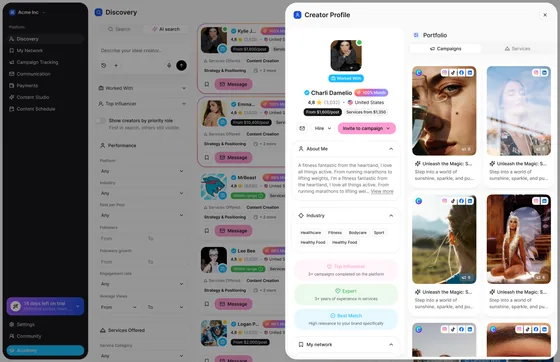
Brands review a creator without leaving the search: stats, audience and content open in a side drawer. I built it as a component on the existing design system tokens and reused the same shell for the brand profile, an open campaign seen by a creator, and a creator’s proposal seen by a brand. One pattern to learn, four places to use it.
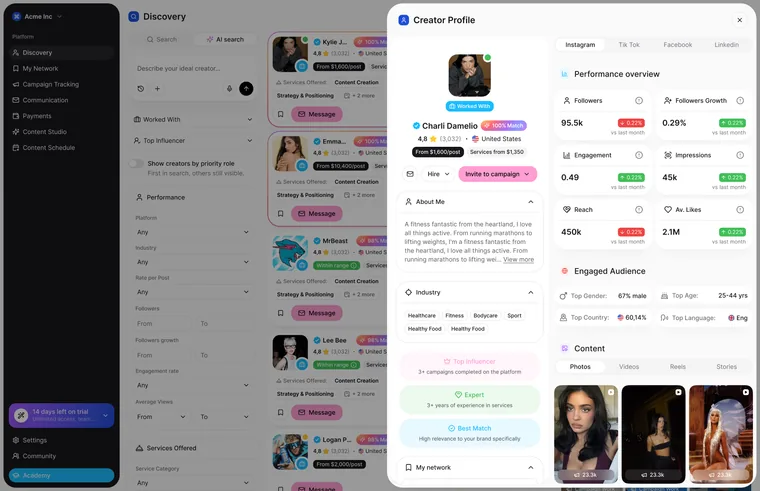
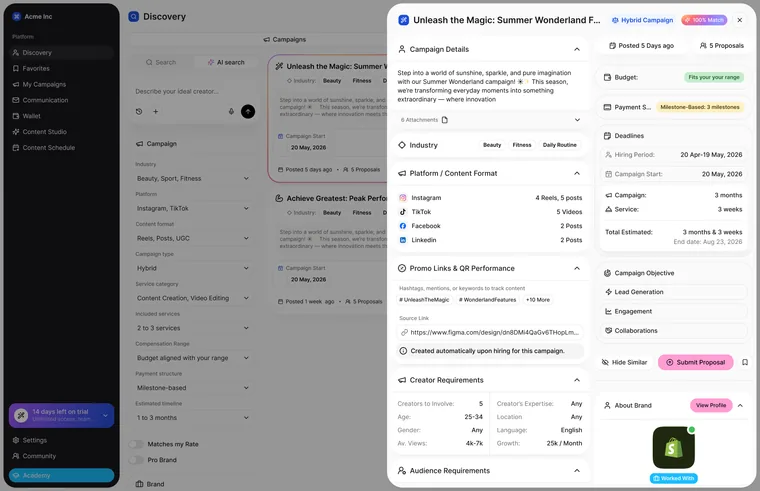
Built on existing design tokens
Same shell: creator, brand, campaign, proposal
Built on existing design tokens
Same shell: creator, brand, campaign, proposal
Who’s here: creator
Steps, not a wall of fields
A creator’s service has details, pricing, payment setup, examples and requirements for the brand. I split it into collapsible steps with one topic each and marked which are optional. A checklist at the bottom shows what is left before the service can be published, and a draft can be saved at any point.
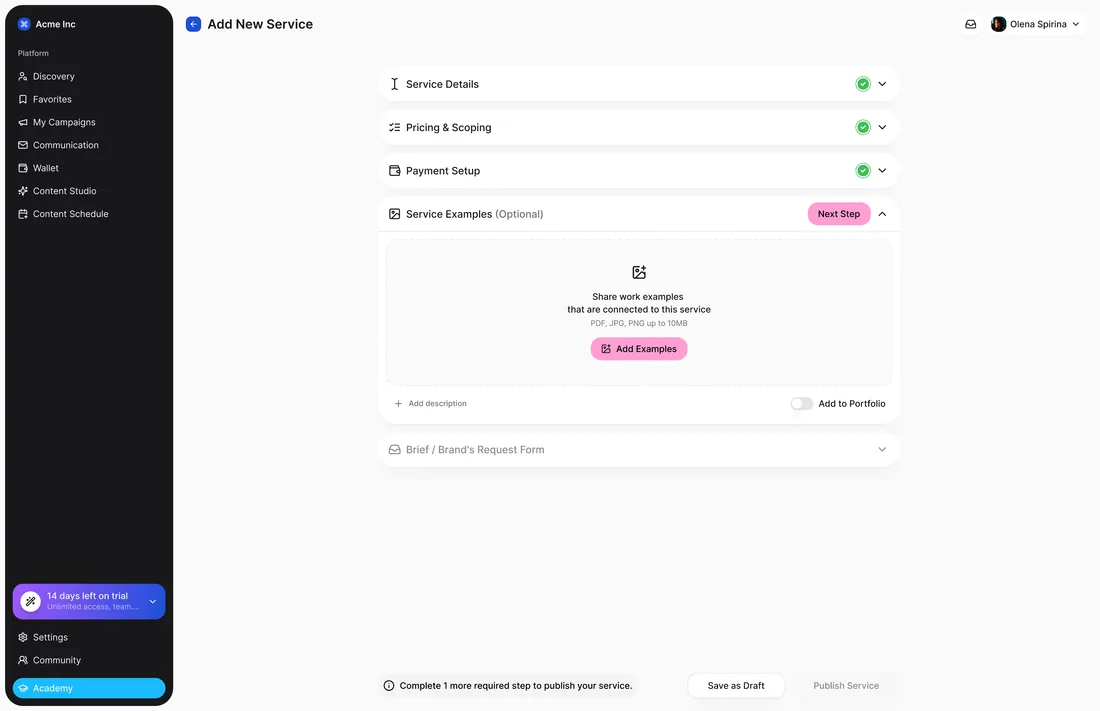
Optional steps are marked
Shows what is left to publish
Optional steps are marked
Shows what is left to publish
Who’s here: brands and creators
Show only what starts the work
The product has a lot of features, but a new user needs one result first. The tour for brands points to finding creators and launching the first campaign; for creators, to finishing the profile and adding a service. It can be skipped at any step, and a brand that has already launched a campaign gets a shorter path.
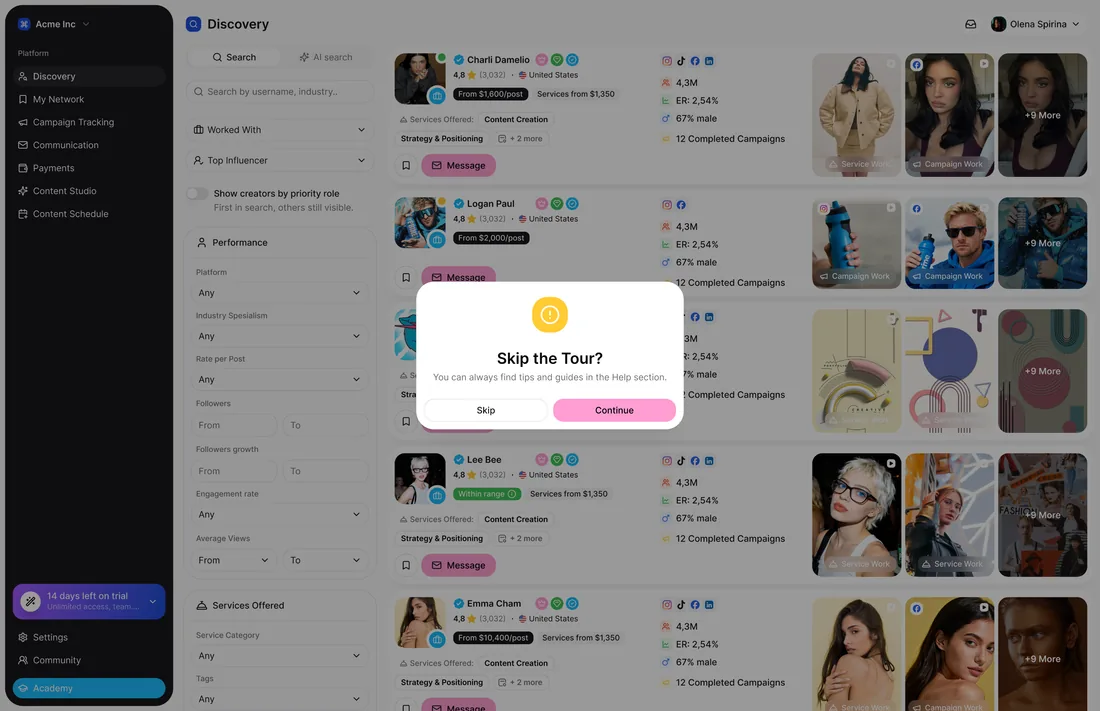
One goal per role
Skippable at every step
One goal per role
Skippable at every step
Who’s here: brands and creators
Built once, used in four products
Academy & Help and Community were mine end to end: lessons with progress, support tickets, a feed with posts, comments and member profiles. The client uses them across four other products, so every screen had to work for any role and any brand. A switcher shows how the same flow serves brands and creators.
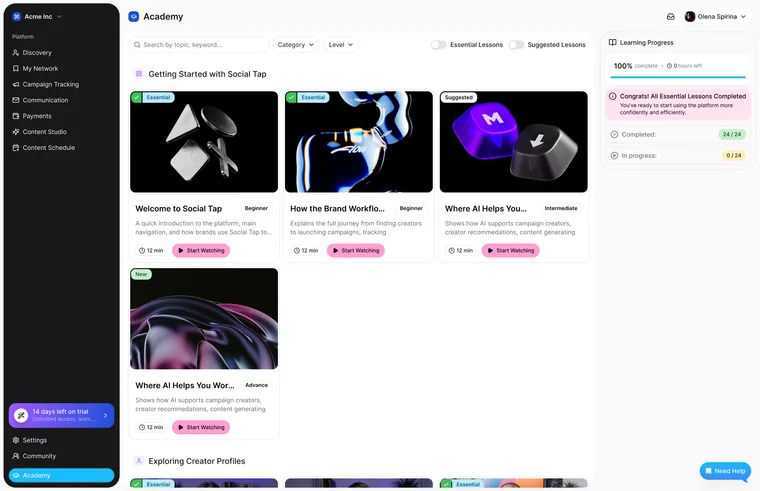
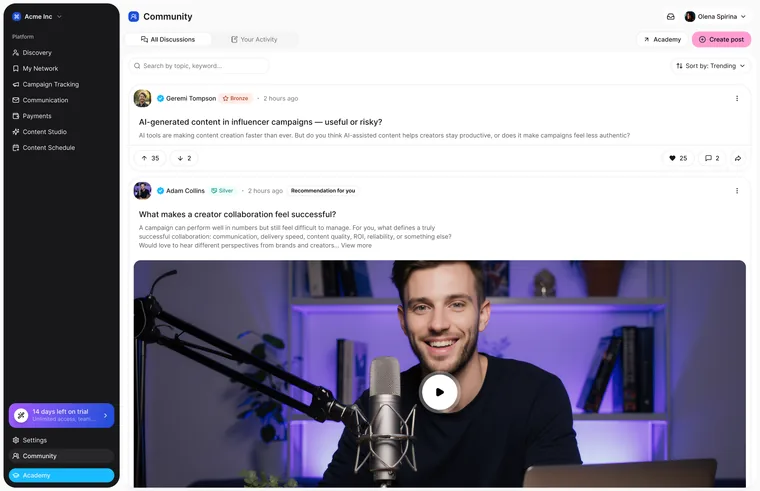
Reused in 4 client products
Same flow for brands and creators
Reused in 4 client products
Same flow for brands and creators
The result
My flows went to development as part of the full product handoff, and Academy & Help and Community now run in four more of the client’s products. I don’t have post-launch numbers. What I took from it: designing inside an existing design system, getting every screen reviewed by a senior designer, and building flows that other products can reuse.